Root Server Technology
 Next
Previous
Next
Previous
Full Control – Even On the Hardware Side
The iDRAC has its own network access, independent of the actual server. This gives you access to a web interface with all important information and configuration options, as well as a KVM (keyboard/video/mouse) server that lets you access your server’s console as if it were located directly under your desk.
Comprehensive System Information in Real Time
The iDRAC web interface provides you with all the important information about the status of your server: the functionality of components such as fans, power supply units, and temperature sensors, faults detected by the system, and recorded logs. If desired, you can also be notified of status changes on your server via SNMP or email.
Using the iDRAC web interface, you can launch an HTML5- or Java-based KVM client and gain direct access to your server’s screen, keyboard, and mouse.
This ensures that your server remains accessible at all times, even in the event of misconfigured network settings.
In addition, the KVM client allows you to mount a local storage device as virtual media. This makes it easy to install new system software or launch a rescue system.
Remote Power Control and BIOS Management
In addition, both the KVM client and the web interface allow you to reset, stop and even start your server from a powered-off state. You can also configure certain BIOS settings, such as the boot drive, directly via the iDRAC web interface.
Insights into the iDRAC9 Interface
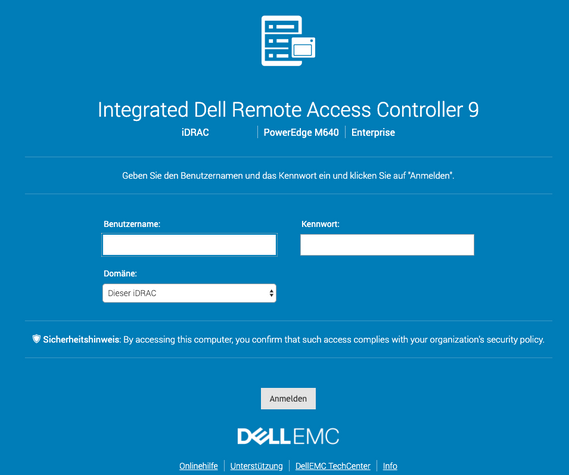
Login screen for the Dell Remote Access Controller 9 with Lifecycle Controller

The dashboard provides all important information at a glance, such as log files, functional status, system information and the virtual console.
The iDRAC system event log stores all relevant information about the managed system. All hardware-related events are recorded and saved here.
Under energy management, you can choose from various control options and restart the corresponding server remotely. You can also define a limit and be notified when a certain threshold value is reached.
The performance overview shows the percentage utilization of various hardware components, such as CPU, RAM and motherboard I/O.
Overview and monitoring of the voltage of various hardware components.
Temperature overview with the option to define a warning threshold. Older system inlet temperature data is also displayed graphically.
Here you can view a summary of the system information to get a quick overview of the system status. The main focus is on power consumption.
Virtual storage media can be mounted via the iDRAC. The settings include options such as connection mode and encryption. It is also possible to configure file sharing, for example to mount ISO images.
Next
Previous
/img/images/slideshow/IDRAC/thumbnails/1_anmeldung.png
/img/images/slideshow/IDRAC/thumbnails/2_overview.png
/img/images/slideshow/IDRAC/thumbnails/3_alarms.png
/img/images/slideshow/IDRAC/thumbnails/4_stromsteuerung.png
/img/images/slideshow/IDRAC/thumbnails/5_systemleistung.png
/img/images/slideshow/IDRAC/thumbnails/6_spannungen.png
/img/images/slideshow/IDRAC/thumbnails/7_temperaturen.png
/img/images/slideshow/IDRAC/thumbnails/8_systeminformationen-uebersicht.png
/img/images/slideshow/IDRAC/thumbnails/9_kvm.png
Other services that might interest you
Dedicated Hosting
Our dedicated managed hosting products are particularly suitable for freelancers, agencies, and larger online shops.
Domains
You can register a wide range of national and international domains easily, quickly, and cost-effectively via our DCP.
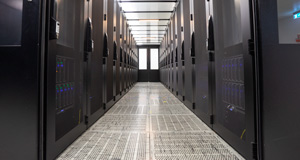
Colocation in Hamburg
In Hamburg, we offer colocation space of all sizes and in individual configurations. In our own data center or with our partners.
Previous
Next
-
Dedicated Hosting
Our dedicated managed hosting products are particularly suitable for freelancers, agencies, and larger online shops.
-
Domains
You can register a wide range of national and international domains easily, quickly, and cost-effectively via our DCP.
-
Colocation in Hamburg
In Hamburg, we offer colocation space of all sizes and in individual configurations. In our own data center or with our partners.